
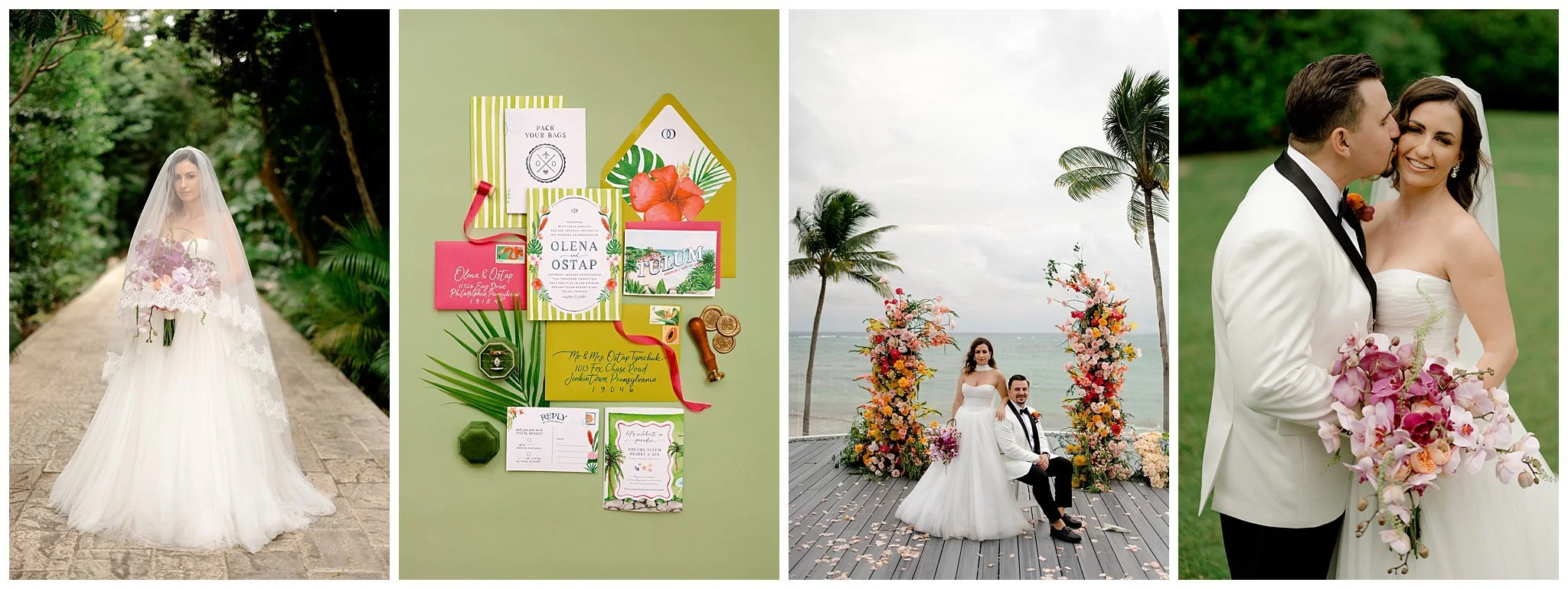
My Post-Wedding Photography Workflow with Aftershoot
See how I use Aftershoot in our wedding photography workflow to streamline culling, speed up editing, and create a better experience for me and my couples.
If there’s one thing I’ve learned as a wedding photographer, it’s that the workflow behind the scenes matters almost as much as the photos themselves. A smooth culling, editing, retouching, and delivery process means faster delivery times, less burnout, and more energy for creativity. And that’s exactly why Aftershoot has become such a huge part of my workflow.
As a destination wedding photographer, educator, and business owner, our time is constantly divided between shooting, traveling, teaching, creating content, answering emails, and actually trying to have a life outside of work. I used to spend endless late nights sorting through thousands of nearly identical images and then editing and re-editing until I got the images just right.
Here’s how I use Aftershoot to streamline my workflow while still keeping our storytelling images and editing style.
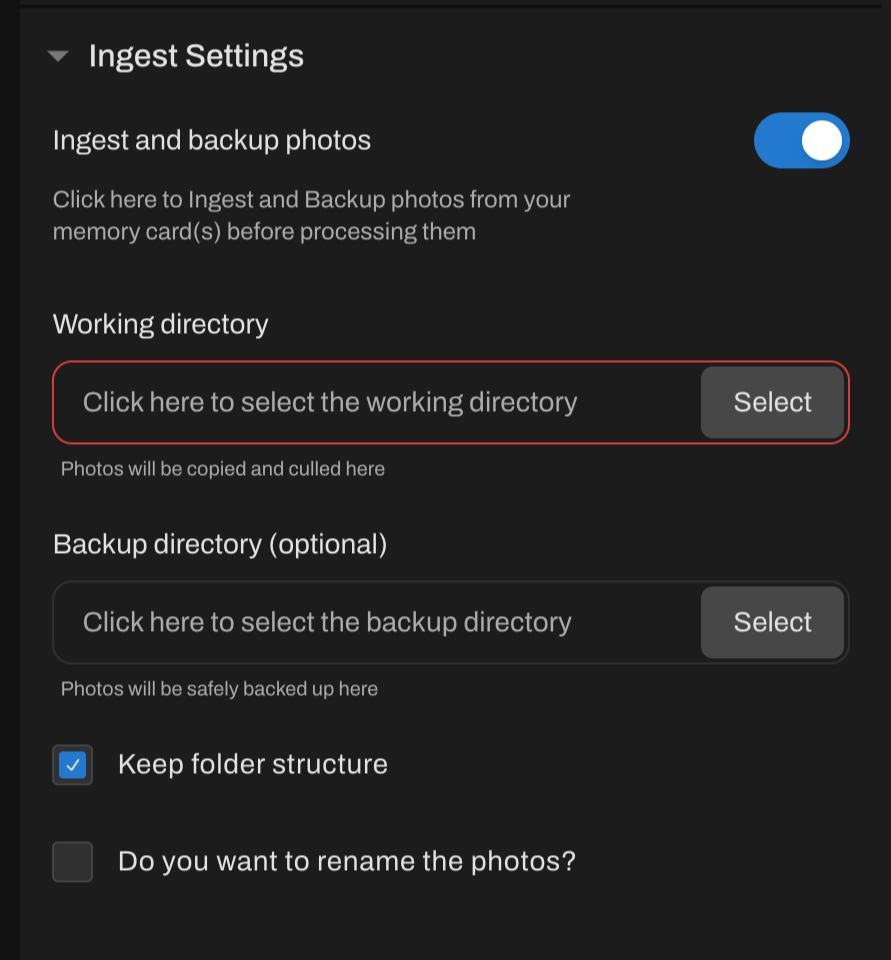
Step 1: Import and Backup
The second we get home from a wedding, the first priority is backing up every image. As you know, we immediately create multiple backups before touching anything else. You can ingest AND make back up copies right in Aftershoot in the import menu. No need to waste time copying into a folder and then opening in the program.
This is honestly where the magic starts.
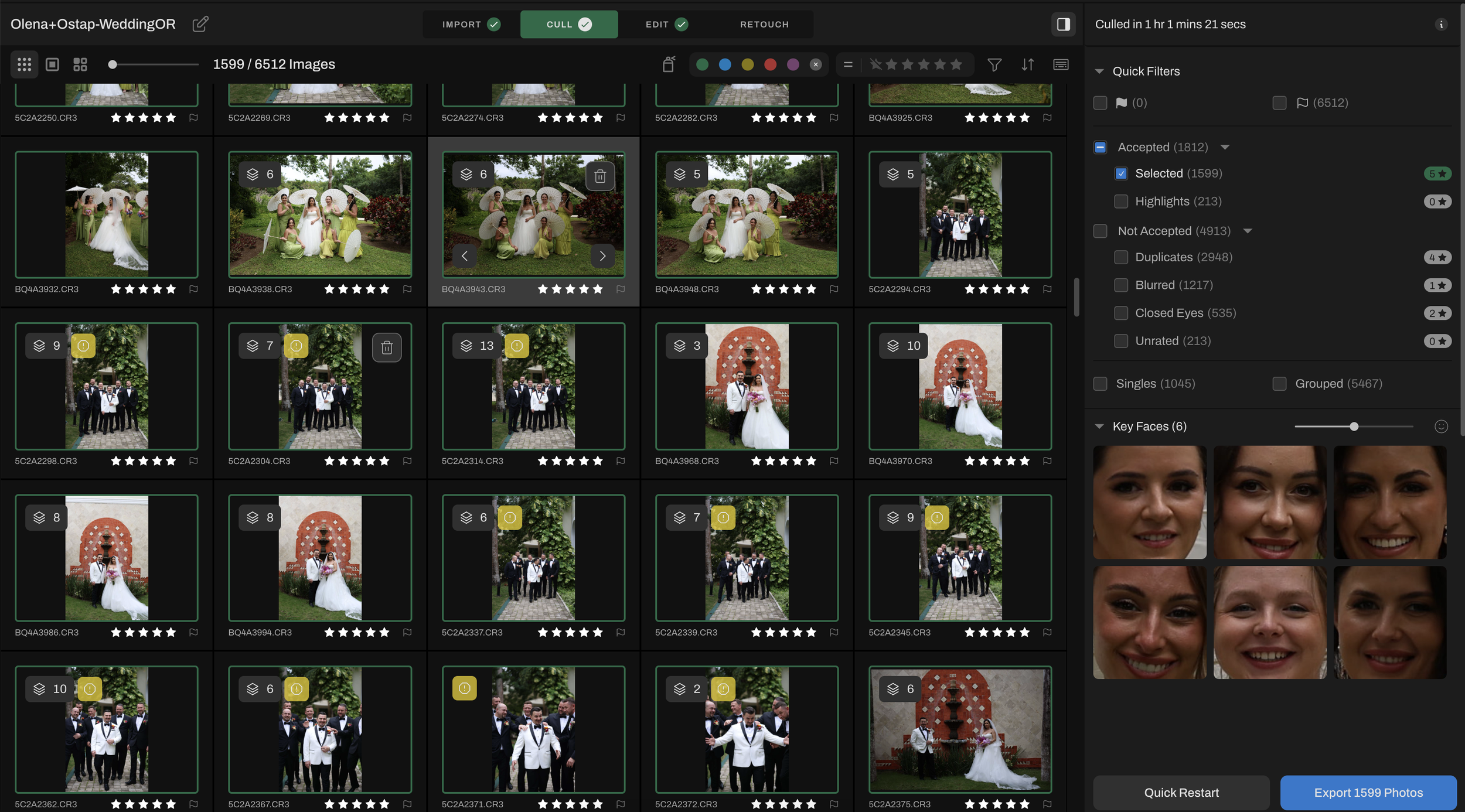
Step 2: AI Culling That Still Feels Personal
One of the biggest misconceptions about AI culling is that it removes the human side of photography. For me, it’s actually the opposite.
Aftershoot helps eliminate duplicates, closed eyes, missed focus, and those in-between test shots that naturally happen during a wedding day. Instead of spending hours filtering through thousands of images manually, we can focus our energy on the moments that actually matter.
The best part? We’re still making the final creative decisions.
The emotional moments, storytelling choices, composition preferences, and artistic selections are still entirely ours, Aftershoot simply gets us to those moments faster.
For wedding photographers shooting massive galleries, this can literally save days of work every month.
Step 3: Editing Faster without Losing My Style
Consistency is one of the hardest parts of wedding photography editing, especially during busy season.
Using Aftershoot for AI editing allows me to build a custom profile based on our own style and preferences instead of relying on generic presets. That means our galleries still feel cohesive, intentional, and true to our brand.
If you want to use an existing profile you can find one in the marketplace, some amazing photographers have their editing style available for purchase, like my boyfriends profile “Leo”. If you’re looking for a free profile, I love the “Editorial” one.
Rather than starting every image from scratch, Aftershoot gets the images 90% of the way there!
So instead of feeling drained before we even begin the artistic part of editing, we can spend more time fine-tuning images and delivering a stronger final gallery to our couples.
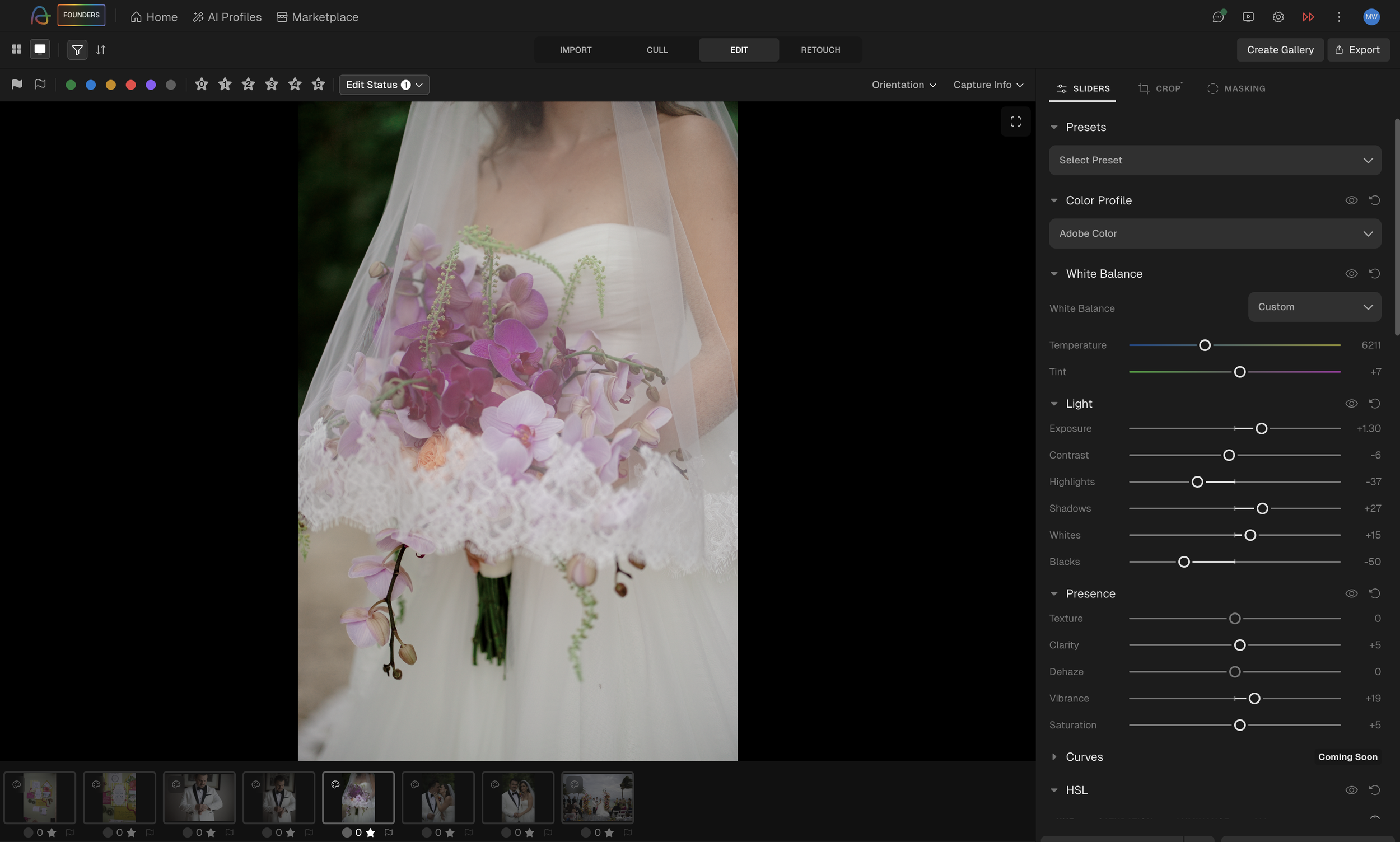
Step 4: Adjust in Aftershoot (Not in Lightroom)
YES! You read that right! No more need for One of the newest features I’m especially excited about with Aftershoot is the addition of manual editing adjustments directly inside the platform. That means photographers can now fine-tune edits without constantly jumping back and forth between programs like Lightroom or Capture One for smaller adjustments and refinements. You can adjust sliders for white balance, light, HSL, and so much more!
For workflow efficiency, this is a huge step forward!
You can even upload your existing Lightroom presets right into the Aftershoot editing software.
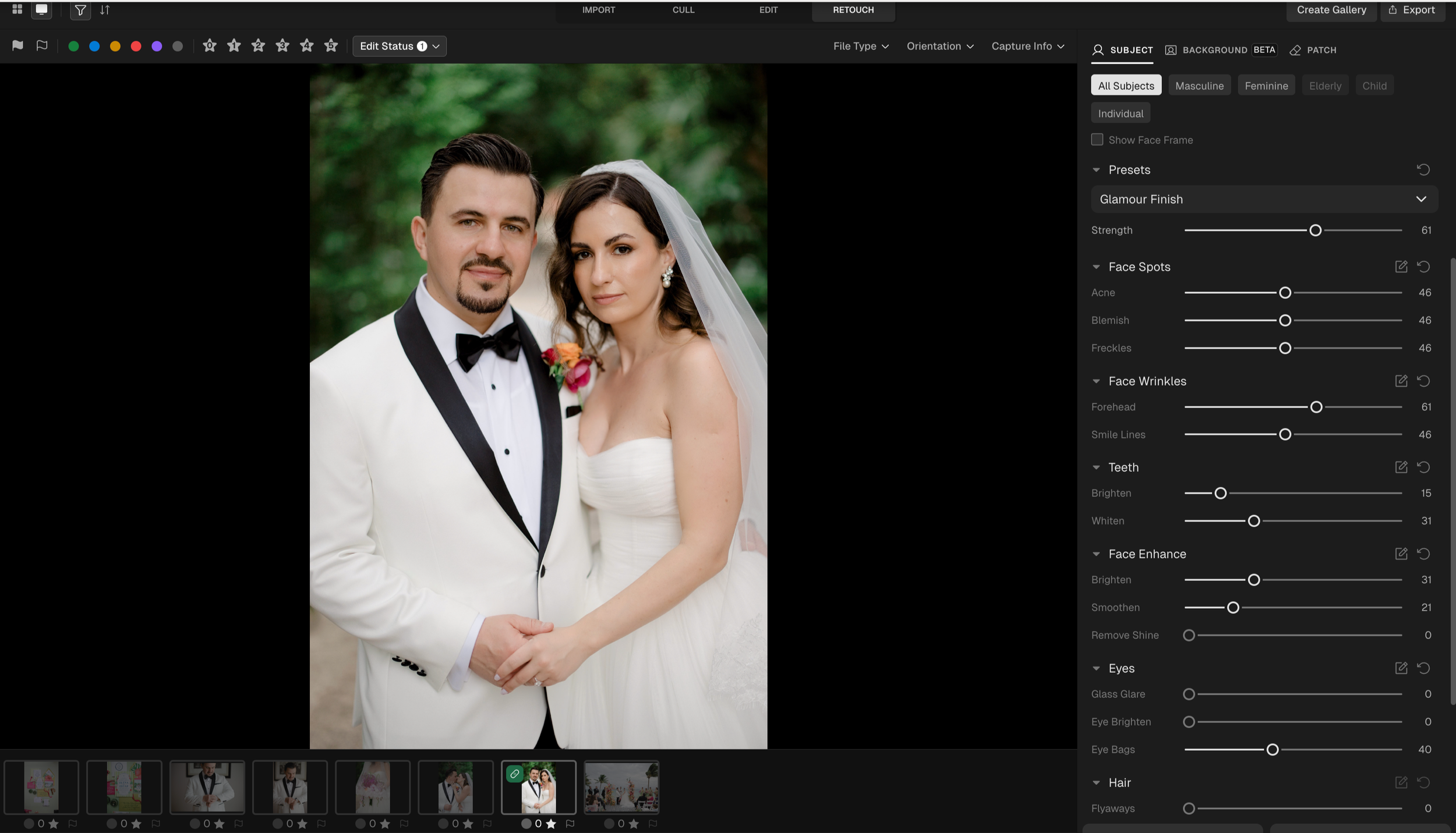
Step 5: Better Images for the Client With Retouching
Instead of moving images through multiple retouching programs or even paying to outsourse, photographers can now handle many common adjustments within the same ecosystem they’re already using for culling, editing, and delivery. Keeping more of the workflow centralized creates a smoother and far less fragmented editing experience. Besides retouching skin and brightening eyes, Aftershoot can smooth clothing wrinkles, take glare out of glasses, and even remove background distractions.
As photographers, especially in weddings and fast-paced events, there are so many moments where perfect conditions just aren’t realistic. Sometimes a light stand ends up reflected in a mirror, a distracting exit sign pulls attention from the moment, or an object in the background takes away from an otherwise incredible image. Traditionally, those fixes meant exporting files into additional retouching software and adding even more steps to the editing process.
Having these kinds of cleanup and distraction-removal tools integrated directly into Aftershoot creates a much smoother workflow from start to finish. Instead of bouncing between multiple programs, photographers can cull, edit, retouch, and refine images in one connected space.
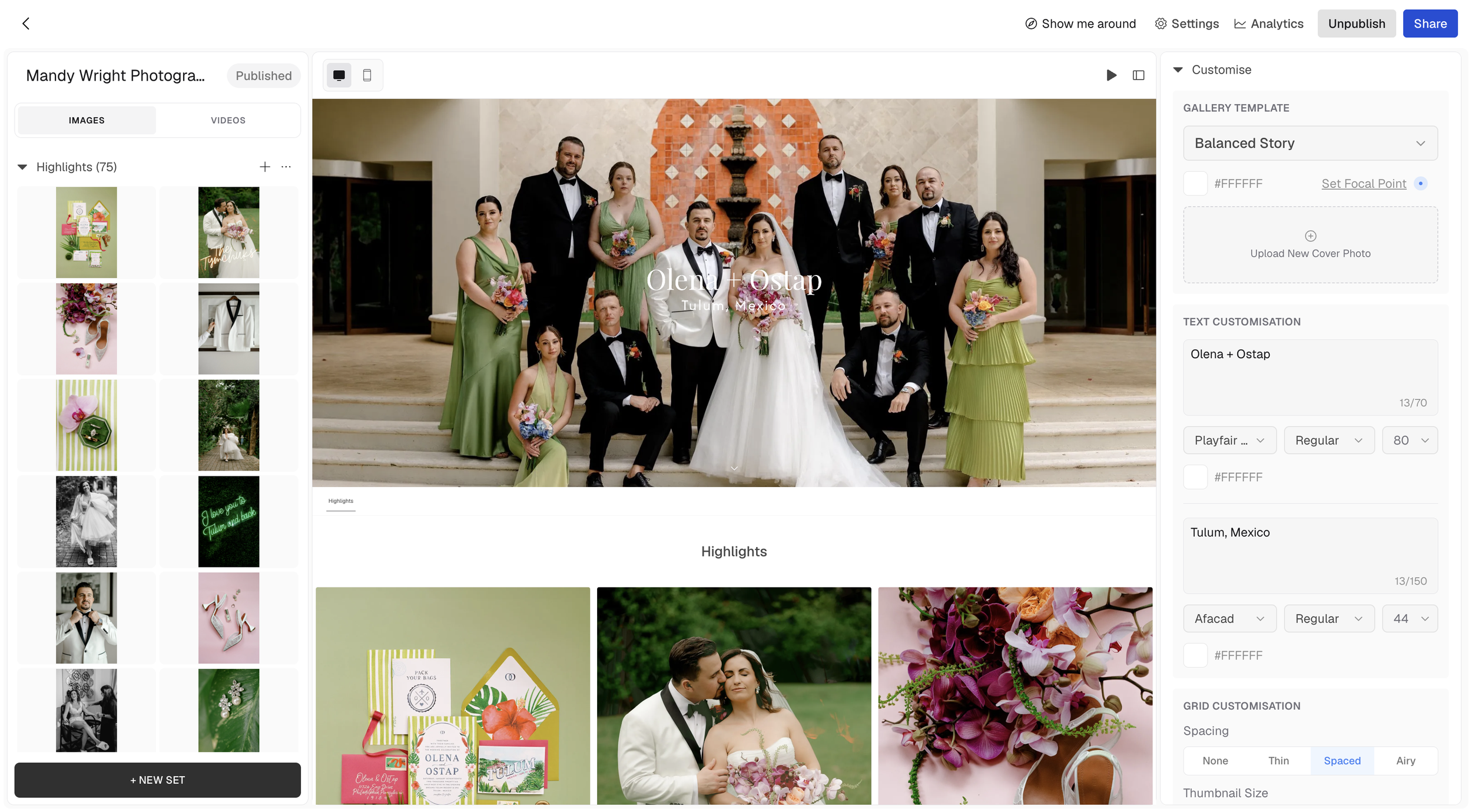
Step 6: Gallery Delivery Right From Aftershoot
No need to export to a folder and upload to a seperate gallery service, you can upload to a gallery right in Aftershoot.
That means less time managing uploads, file transfers, exports, and duplicated organization systems and more time focused on creating and serving clients well.
For photographers juggling high-volume wedding seasons, destination travel, and fast turnaround expectations, having gallery delivery integrated directly into the workflow can make the entire process feel far more efficient and cohesive.
Workflow Matters More Than Ever!
Wedding photography is more demanding than most people realize. Clients want their images yesterday. Long wedding days, travel schedules, content creation, business management, editing marathons, it adds up quickly.
Creating a workflow that protects your creativity is essential.
For me, Aftershoot has helped reduce burnout, improve turnaround times, and free up more time for the parts of photography we actually love most; connecting with couples, creating art, traveling, and telling meaningful stories.
Technology should support photographers, not replace them… and finding tools that genuinely improve your quality of life behind the scenes can completely transform your business.
It’s exciting watching photography software evolve beyond single-purpose tools into platforms that support nearly every stage of the client experience from start to finish.
Aftershoot is a powerhouse in the photography industry and I can’t wait to see what they have coming next!
Astrophotography 101
Astrophotography doesn’t have to be complicated. In this guide, I’m breaking down exactly how I capture the night sky from camera settings to composition using real examples from shooting in Utah’s dark skies. Whether you’re a beginner photographer or just want a expand your skills, this is everything you need to get started.
Astrophotography used to feel intimidating to me, like something reserved for people with wildly technical setups and infinite patience. But after a few nights under the stars in Arches National Park and the insanely dark skies at ULUM Moab, I realized it’s way more accessible (and way more magical) than it seems.
Here’s exactly how I approach it, simple, realistic, and without overcomplicating things.
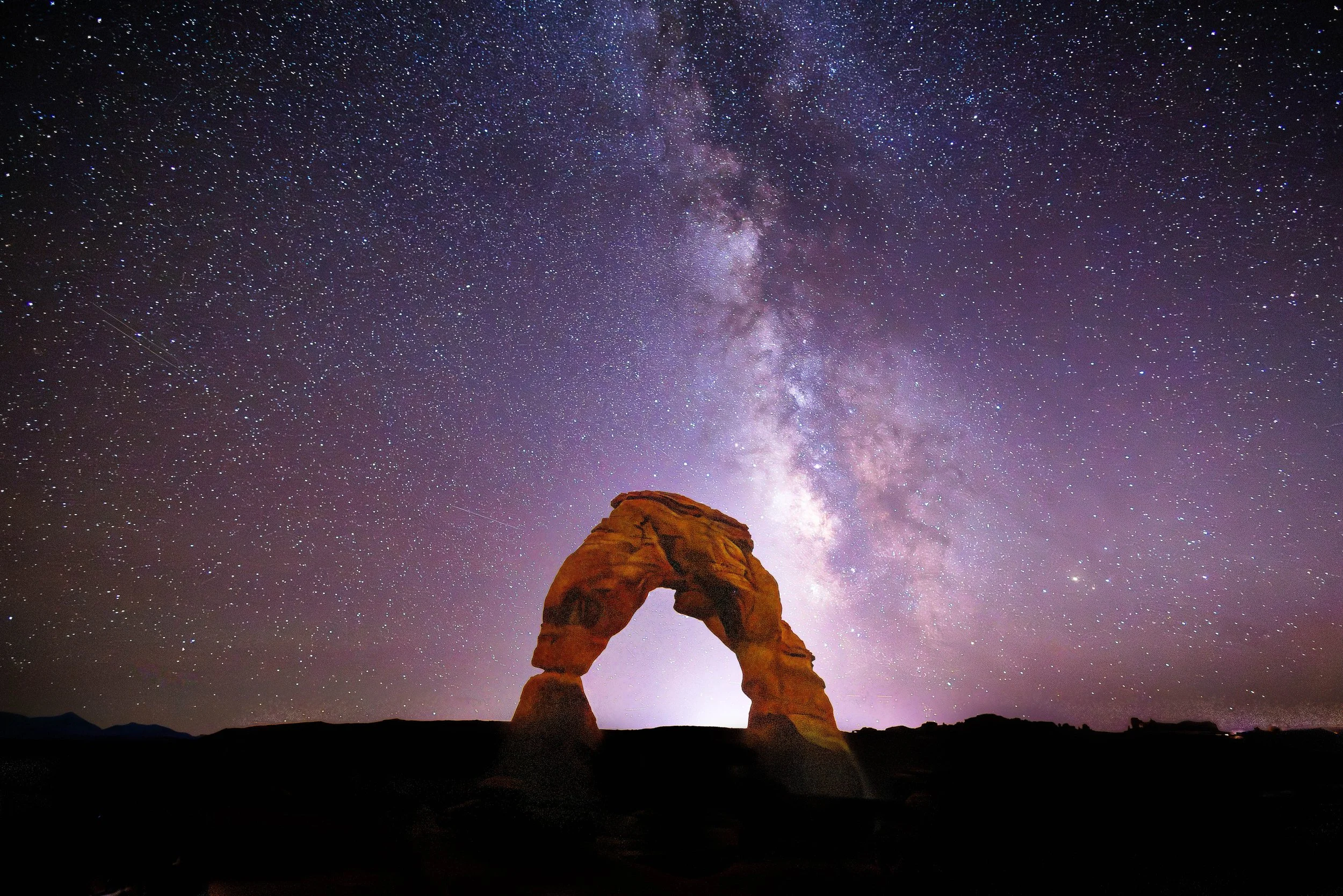
Delicate Arch, Arches National Park
Start With the Right Location
Not all skies are created equal. If you want those crisp, star-packed images, you need complete darkness. You need to be hours away from city light even minimal moon light. You also need a clear night sky, so keep an eye on the forecast! Higher elevation also offers a clearer sky viewing.
Places like Arches National Park are incredible because they’re far from city light pollution. And staying somewhere like ULUM Moab? Game changer! You can literally walk outside and be under a sky full of stars without driving anywhere. You can find other certified locations by looking at DarkSky International.
And The Right Timing
In the Northern Hemisphere, the Milky Way core is most visible from about March to October. To minimize moonlight you’ll want to plan for the days around a new moon.
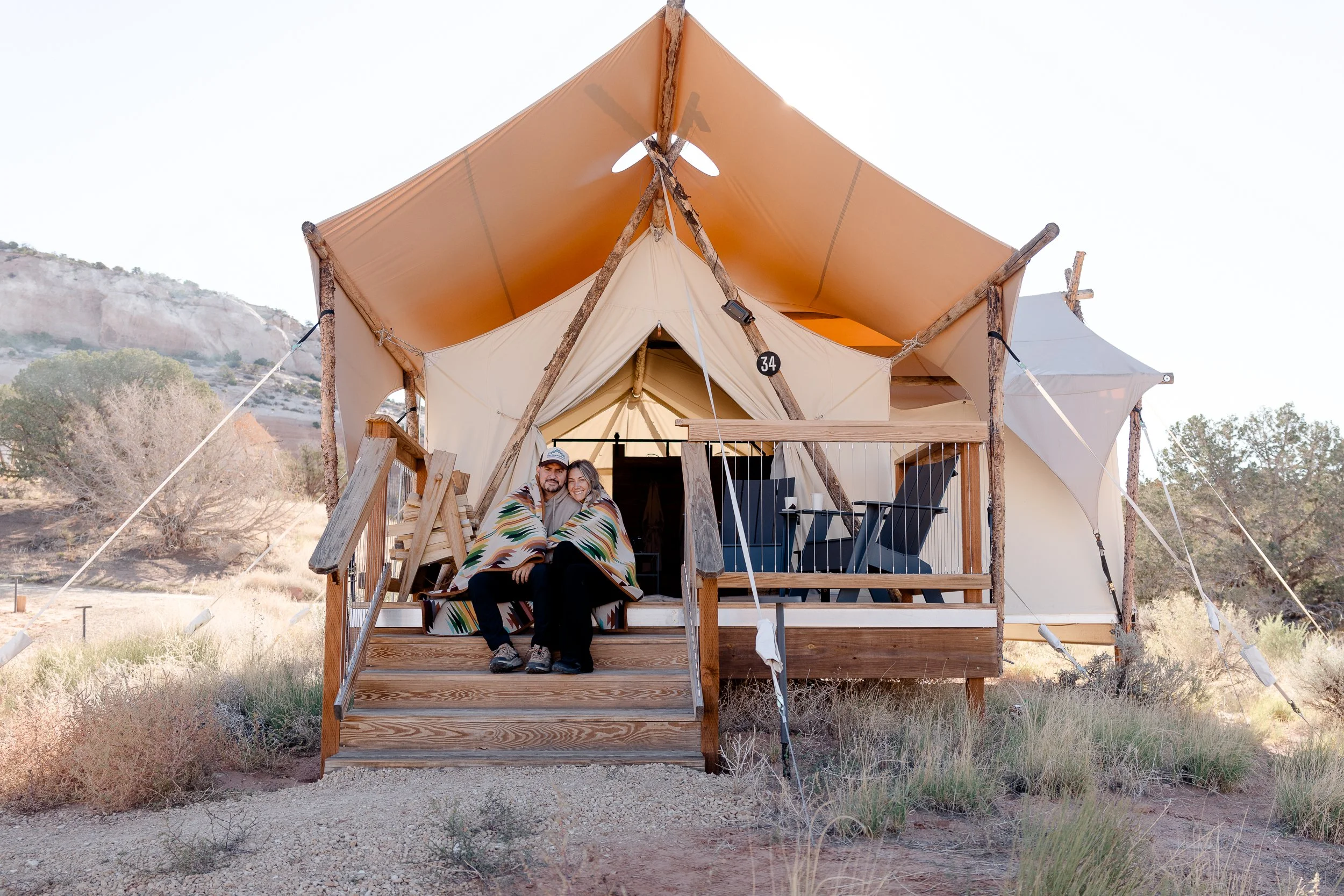
ULUM Resort Moab
Gear I Use
You don’t need a crazy setup but a few things really matter:
Camera with manual settings (DSLR or mirrorless)
Wide-angle lens (something like 14–24mm is ideal)
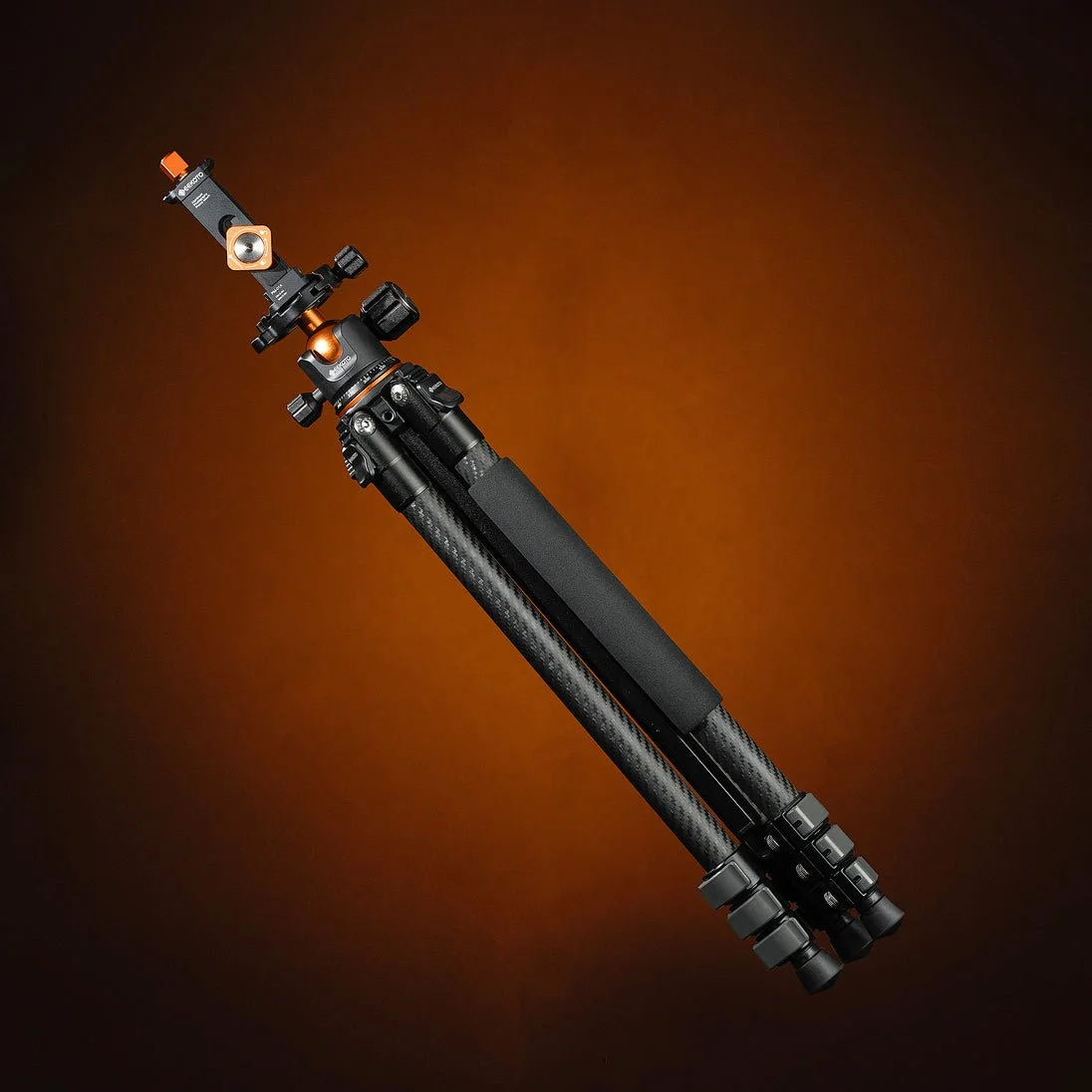
Tripod (non-negotiable)
For 10% off use code: Mandy10
Other Useful Gear
Red headlamp/flashlight as it preserves night vision and has minimal scene contamination
Electrical tape to cover any unsuspecting led lights on gear
My Go-To Settings
The basic concept is that we want to let in as much light as possible so that we can capture the stars, but the problem is that if our shutter is left open for too long we will see the movement of the earth’s rotation through star trails. To get the bright crisp stars, we have to find the sweet spot for the conditions we are in and the gear we are using.
These are my starting settings, and I adjust exposure slightly depending on the scene:
Aperture: f/1.8 (or as wide as your lens allows)
Shutter speed: 15–25 seconds
ISO: 3200–6400
Focus: Manual, set to infinity
Timer: 2 secs
File Format: RAW
*Your camera may have a starlight/night mode that you can turn on to make your screen red and easier to see in the dark.
Finding Composition in the Dark
This is where your photographer brain comes in. Don’t just shoot the sky, compose your image.
It helps to know the area or at least pick a spot and set up before nightfall. Use a Milky Way finder app to make sure you are pointed in the right direction.
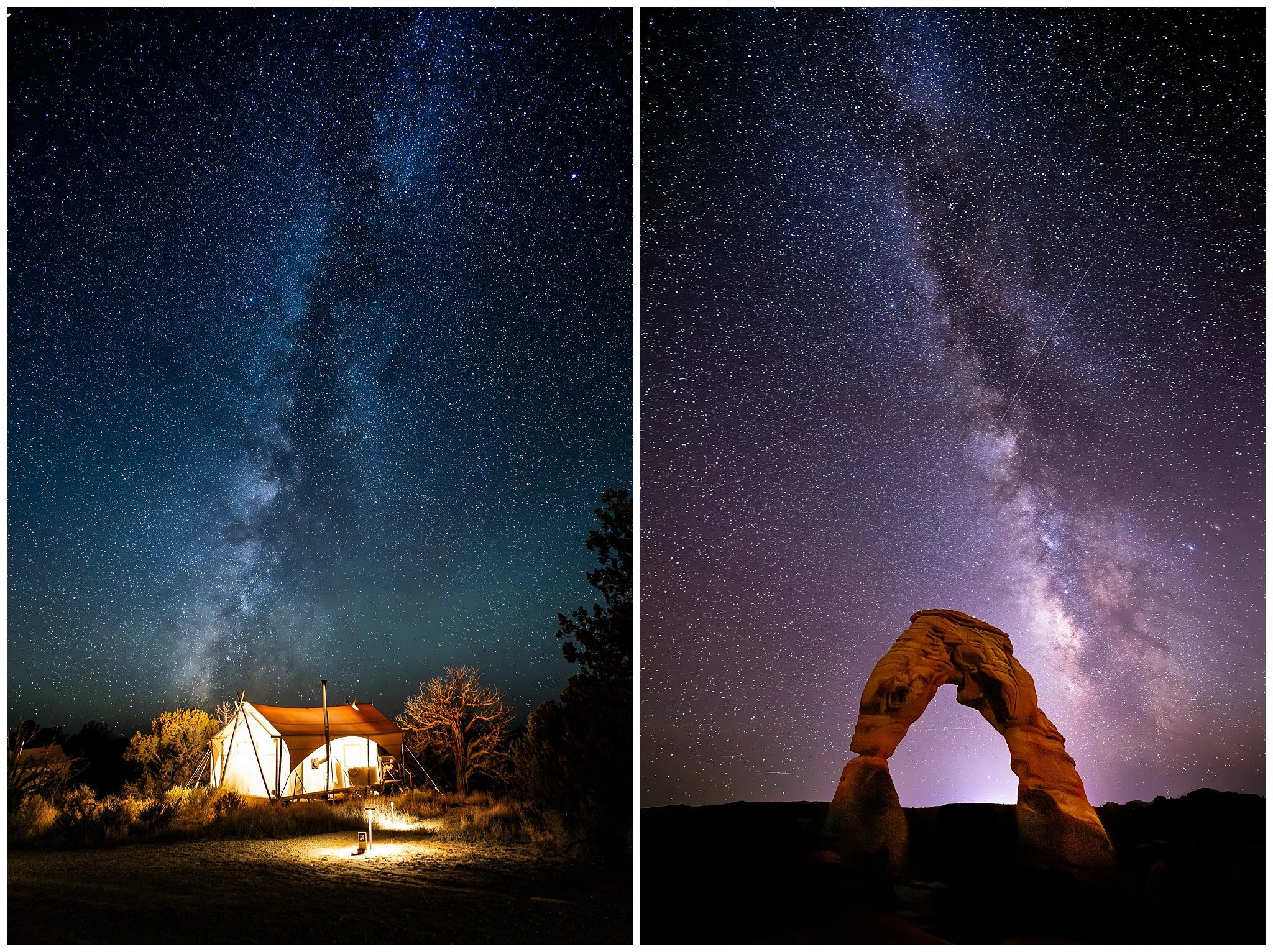
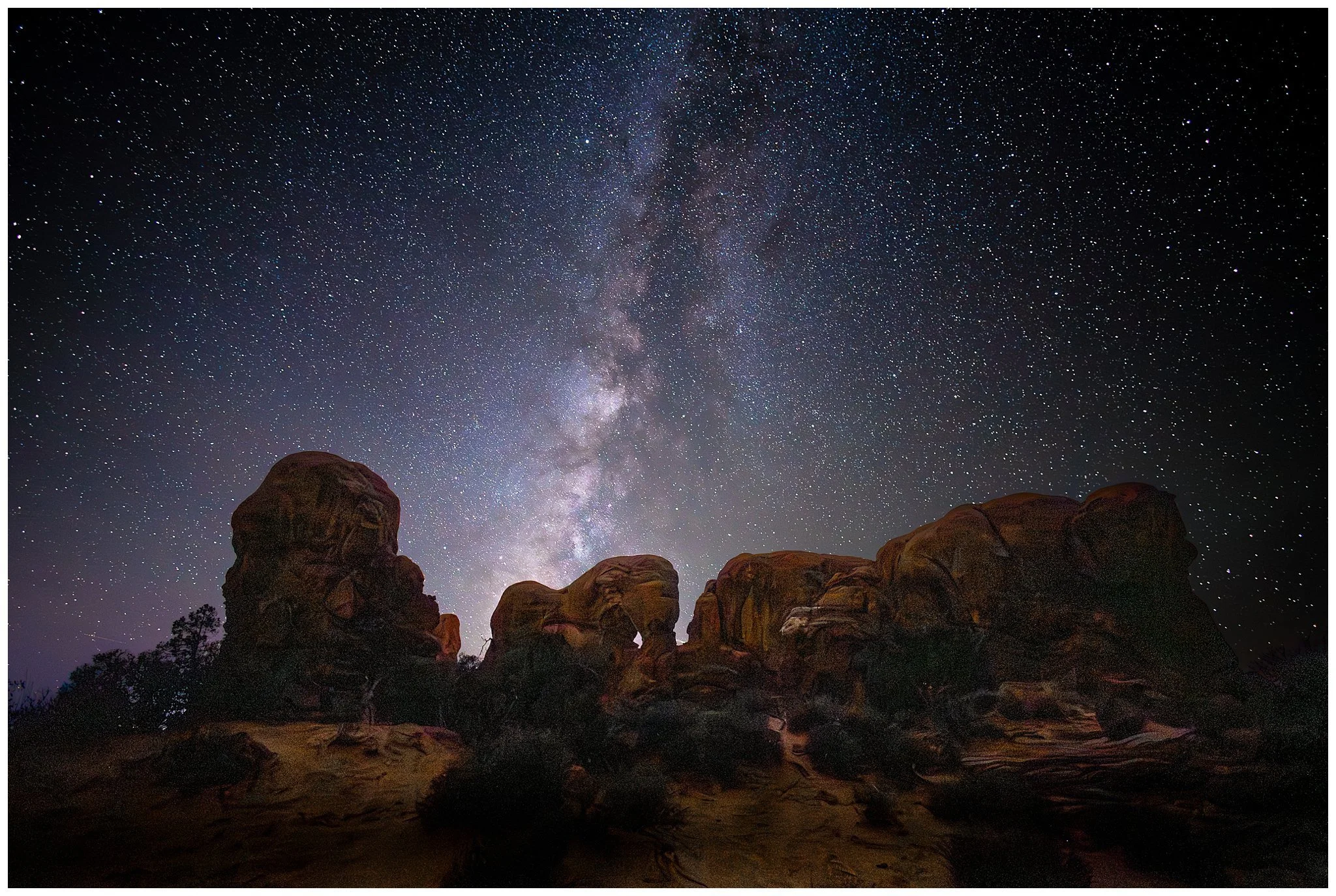
In Arches National Park, I used the natural rock formations to frame the stars. At ULUM Moab, I leaned into the unique structures and desert landscape to add interest.
Think:
Silhouettes
Leading lines
Framing elements
Foreground to add depth
It makes your image feel intentional, not just a snapshot of the sky. You can even consider adding a person to the composition, either by silhouette or lighting them.
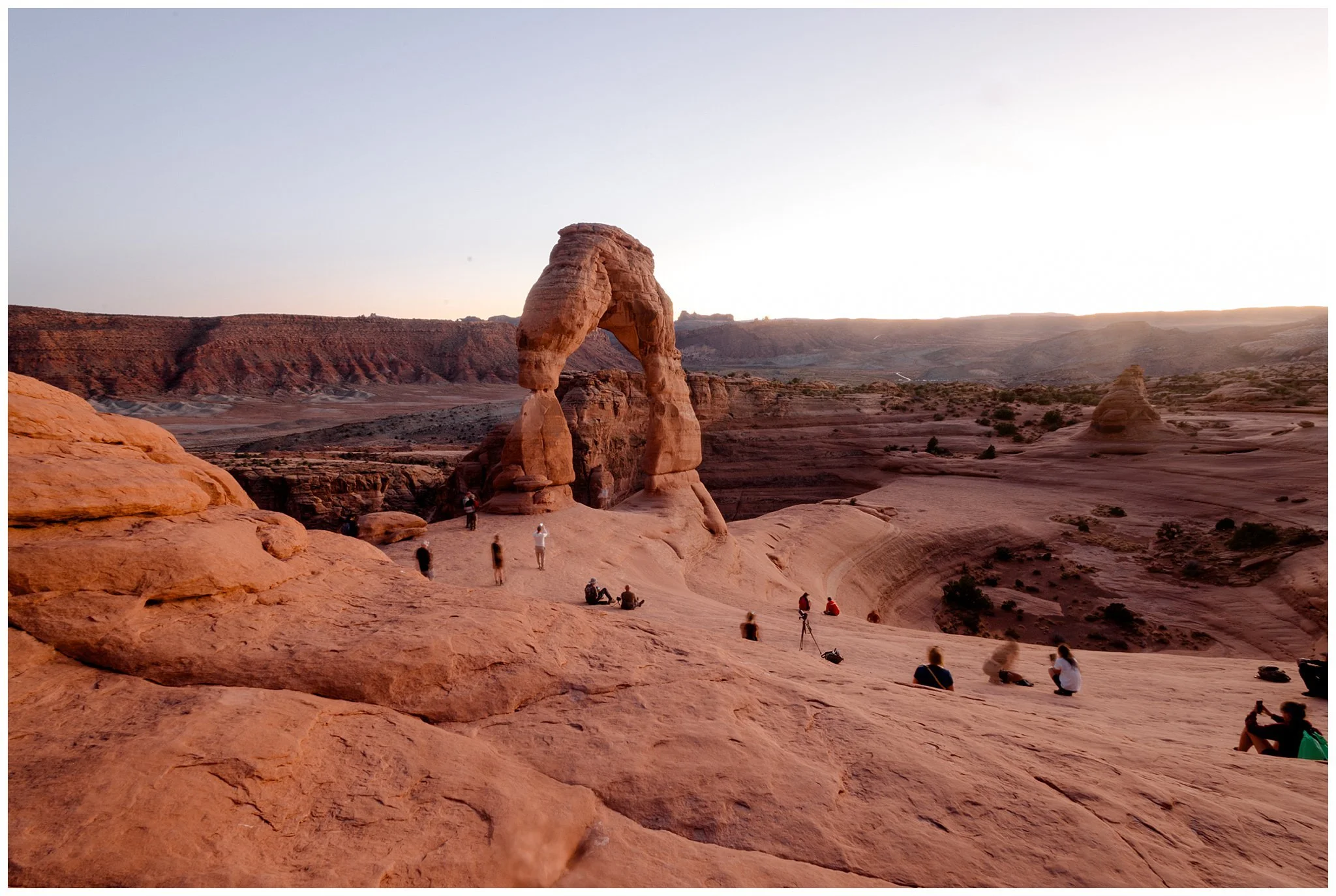
Dusk at Delicate Arch, Arches National Park Utah
Editing Makes a Huge Difference
Your RAW image will probably look very flat at first
In editing, I typically:
Boost contrast
Pull out shadows
Adjust white balance (cooler tones usually work beautifully)
Denoise
Sharpen to enhance stars slightly without overdoing it
Clone out light pollution (photographer lights, airplane trails, etc.)
The goal is to keep it feeling natural while bringing back what your eyes felt in that moment.
Here is a Before and After of lightroom editing:
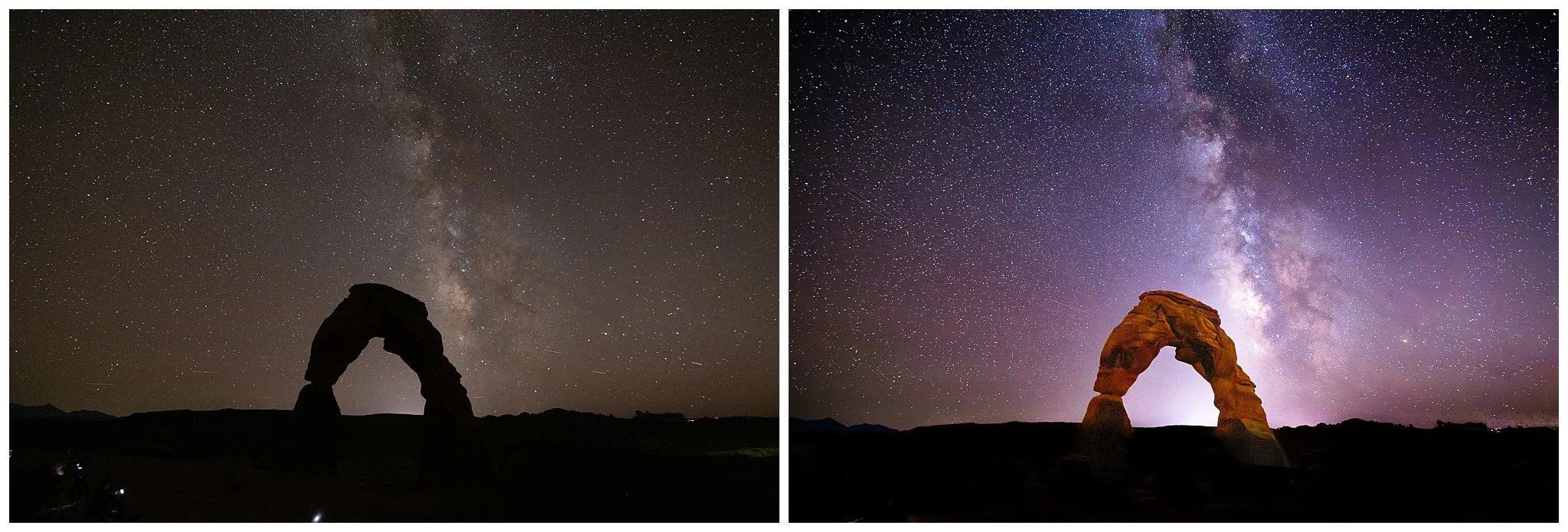
SOOC 16mm, F2.8, ISO 5000, 20 Sec.
Lightroom Preset
Thank you for reading this far! If you want a little help on the editing side I created a basic editing preset based on the pointers above. Download it and use it as a starting point to get the stars in your images to shine!
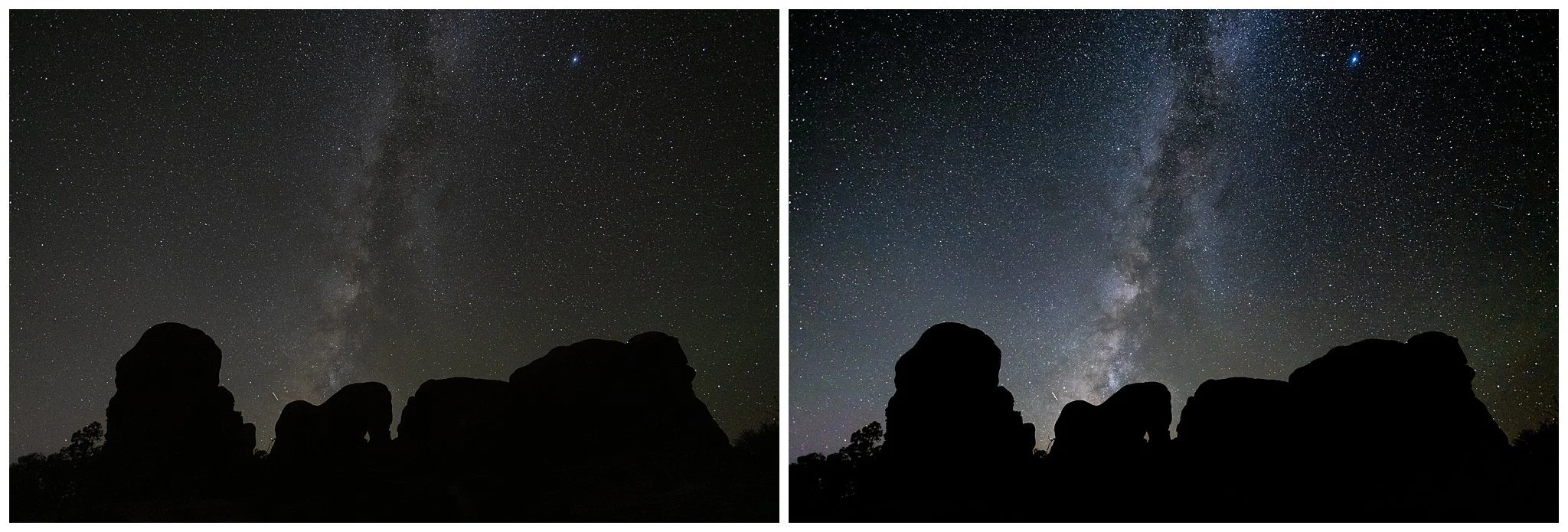
Lightroom preset applied 16mm, F2.8, ISO 8000 10 Sec.
Composite
Consider combining multiple shots into one to properly expose the night sky and any brighter features.
Take a photo with the sky properly exposed (in this case, F2.8, ISO 3200, 20 sec)
Take a second photo with the foreground properly exposed by only adjusting the ISO (F2.8, ISO 1200, 20 sec)
Use the masking feature in Photoshop to combine the properly exposed sky with the image of the properly exposed foreground
Below you can see how the first two images are combined to create the third image.
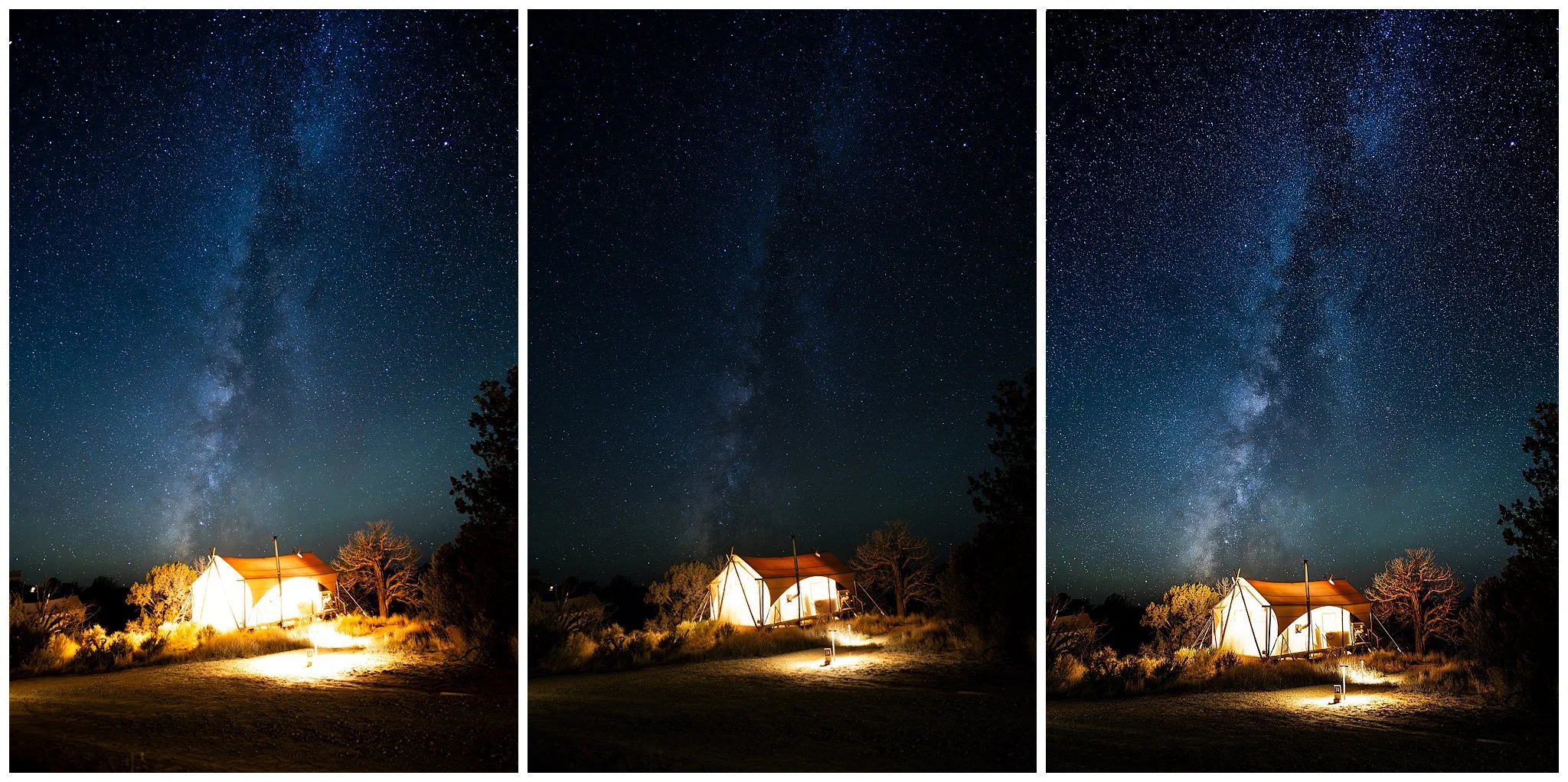
16mm, F2.8, ISO 3200, 20 sec. Additional exposure at ISO 1200
Troubleshooting
-
Your shutter speed is too long. Use the 500 rule calculator as a starting point. If you see trails, try a shorter shutter speed until they are crisp.
-
If you’re wide open and at the maximum shutter speed for crisp stars, the only other option is to increase your ISO. Use Ai denoise in post to help clean it up.
-
Make sure your tripod is on a stable surface. Use a timer or a wireless trigger to make you are not moving the camera when take the exposure. Trees or other features in the photo may look blurry as they will be moving.
-
You might be focusing past infinity, try bringing the focus back a bit.
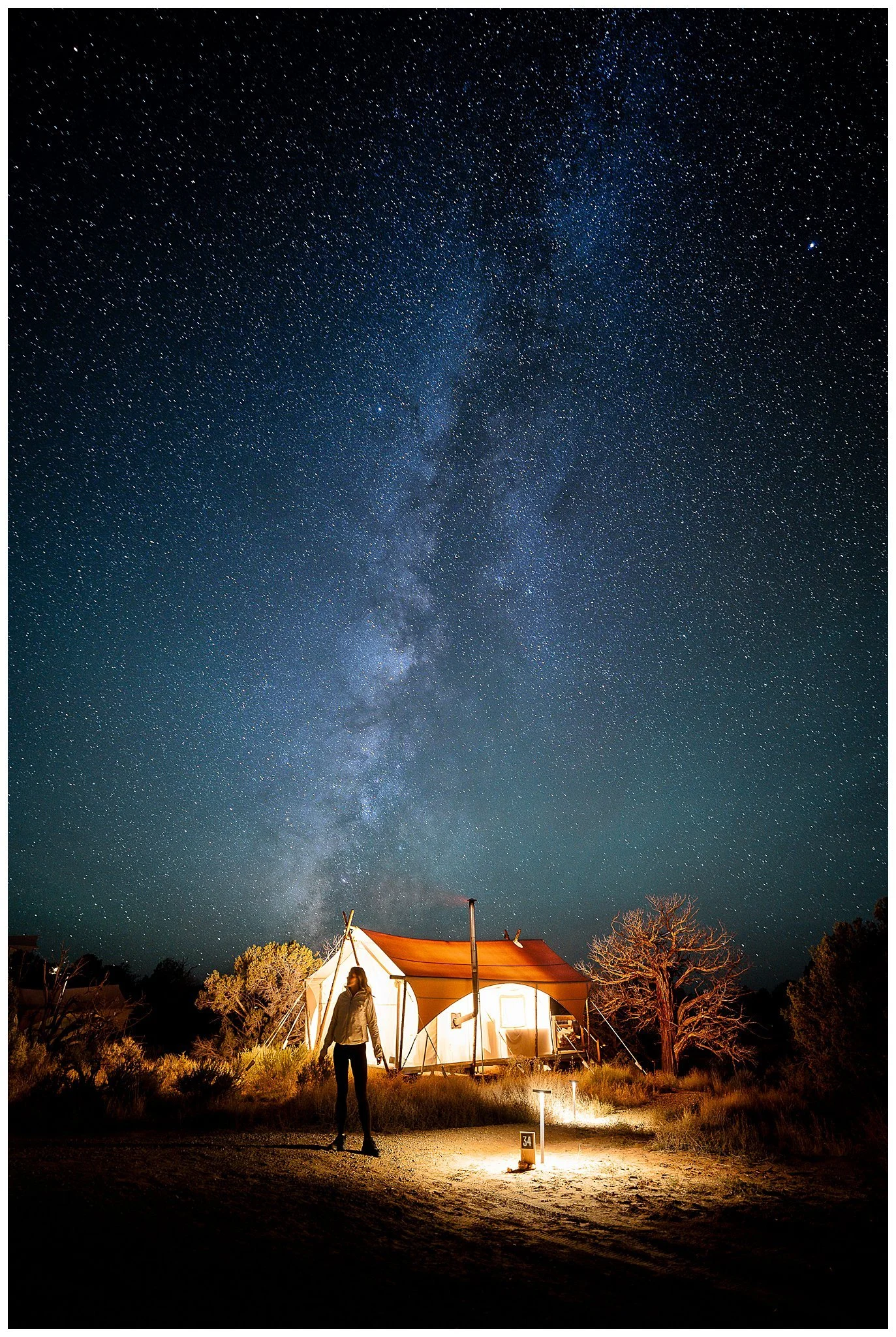
Photo by Esteban Gil